Yes. You can create a library of reusable templates and components to speed up future campaigns.
Free your marketing teams from technical constraints
Creating emails often involves multiple stakeholders: marketing, design, development, approval... The result? Longer production times, endless back-and-forth and a lack of agility when responding to business needs.
With Email Builder, your teams have a single environment to quickly create professional campaigns while ensuring reliable rendering across major email clients. Whether you’re creating a newsletter, promotional email, automated campaign or transactional communication, you benefit from the same level of simplicity and quality.
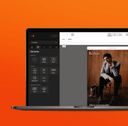
Design emails with simple drag and drop
The editor works like a true visual builder. Add content blocks, move them around freely, edit colors, images, buttons or spacing, and instantly preview the result.
Thanks to its intuitive interface, teams can quickly work independently and produce more campaigns without relying on technical teams.
Key features
100% visual editor
Build your emails with an intuitive drag-and-drop interface. Simply drag and drop headings, images, videos, buttons, columns or dividers into your email.
Reusable templates
Create your own templates or use existing ones to launch new campaigns in just a few minutes. Teams save time while ensuring a consistent layout across campaigns.
Ready-to-use components
Access a library of reusable blocks: Hero, Banner, Products, CTA, Social media, Footer, Columns, Articles, Cards... Combine them as needed without starting from scratch.
Responsive emails by default
Every email is automatically optimized for desktop, tablet and mobile. Preview your email instantly to ensure an optimal experience across all screen sizes.
Clean, optimized HTML
Although the editor is completely no-code, Email Builder generates reliable, optimized HTML that is compatible with major email clients. Technical teams retain control whenever access to the code is required.
Preview before sending
Check how your campaign will look before publishing it.
Quickly identify any adjustments that may be needed to ensure a consistent experience for all recipients.

Why choose a drag-and-drop editor?
Reduce production time
Create more emails without increasing your resources. Campaigns are ready faster, making it easier to respond to your marketing team’s needs.
Empower your teams
Marketers no longer need to ask a developer to change a button, replace an image or update a text. They can work directly in the editor and publish faster.
Reduce errors
Templates, components and design rules minimize the risk of errors, ensure higher production quality, and keep every campaign consistent.
Create more campaigns
When email creation becomes easier, teams can test more ideas, launch more campaigns and improve their marketing performance.
Built for collaboration
Email Builder goes beyond visual email creation. It also facilitates collaboration between different teams:
Everyone can contribute at the right time, within the same working environment.
A solution that fits into your ecosystem
Your email editor integrates easily with your existing tools. Emails can be exported to your sending platform or integrated into your marketing environment without changing your existing processes.

Whether you use a CRM, marketing automation platform or ESP, Email Builder adapts to your organization.
Frequently asked questions
No. The editor is designed to be used without any HTML knowledge.
No. The editor is designed to be used without any HTML knowledge.
Yes. All emails are optimized for mobile devices and major email clients.
Yes. All emails are optimized for mobile devices and major email clients.
Yes. You can create a library of reusable templates and components to speed up future campaigns.
Yes. If needed, your technical teams can access the generated HTML.
Yes. If needed, your technical teams can access the generated HTML.
Yes. Email Builder is designed to allow multiple teams to work on the same campaigns.
Yes. Email Builder is designed to allow multiple teams to work on the same campaigns.