Making Smart Use of Data from Different Systems
The JustRelate Portal can incorporate data from internal and external systems. This makes it possible to integrate CRM information, customer data, and other structured content into the portal interface. The data can be used for personalized content, individual views, and dynamic features.
Data Integration Directly in the Portal
Data sources can be connected in a way that allows editors to use the available data when managing portal content. Using appropriately configured data classes, they can select data sources, filter and sort results, and limit the number of entries displayed.
The technical setup of data classes and their configuration is handled individually. This allows the data integration to be tailored to specific requirements and connected systems.
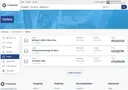
Custom Data Integration with Flexible Interfaces
The JustRelate Portal offers a variety of ways to use and process data from connected systems:
Data Classes as an Interface
Data classes serve as the interface between the JustRelate Portal and the data source, defining how data is retrieved and processed through callback functions.
Custom Data Selection
Developers provide the connection; editors can then select available data sources and filter, sort, and limit results according to their criteria.
Dynamic Placeholders
Information such as usernames, email addresses, or other attributes can be inserted directly into portal content using provided data, and are replaced dynamically when the page is loaded.
Editing and Managing Data
Depending on the implementation, data records can be retrieved individually, listed, created, updated, and deleted.
Custom Detail Views
Individual data records can be displayed on their own pages. This makes it possible to create detail pages for contacts or other data objects, for example.
Context-Aware Data Display
Key information such as the currently logged-in user can be made available. This allows content to be shown or hidden selectively — for example, based on a user's role or permissions. Each user sees only the content that is relevant to them.
Connecting Identity Providers
External identity providers can be configured for visitor authentication, including sign-in via Google.

Managing Access and Permissions via the API
The API distinguishes between public content and protected functions. Published content that is freely accessible can be retrieved without authentication. Working copies and content changes, on the other hand, require an API key and the appropriate permissions.
The available access is determined by the permissions of the API key holder. This allows you to control which content and functions can be used by external applications.
REST API for Flexible System Integrations
Applications can access and manage portal content via a REST API. The interface works with JSON and supports operations including retrieving, creating, updating, and deleting content.
Supported functions include:
Serverless Scalability — automatic elasticity for high-volume campaigns
Retrieve and search content and objects.
Create, edit, and delete content.
Upload and manage files.
Create and publish working copies.
Execute background tasks and query their status.
The API thus enables the connection of various applications and custom processes. When accessing portal data, it is recommended to use the SDK where possible, as it supports features such as automatic retries and optimized query processing.
Connect Your Systems. Build Your Portal Your Way.
Integrate CRM data, external applications, and custom business processes in one central platform. With flexible interfaces and APIs, you create seamless connections and build a portal that adapts to your requirements.